Agent Studio
Create and manage AI agents at scale
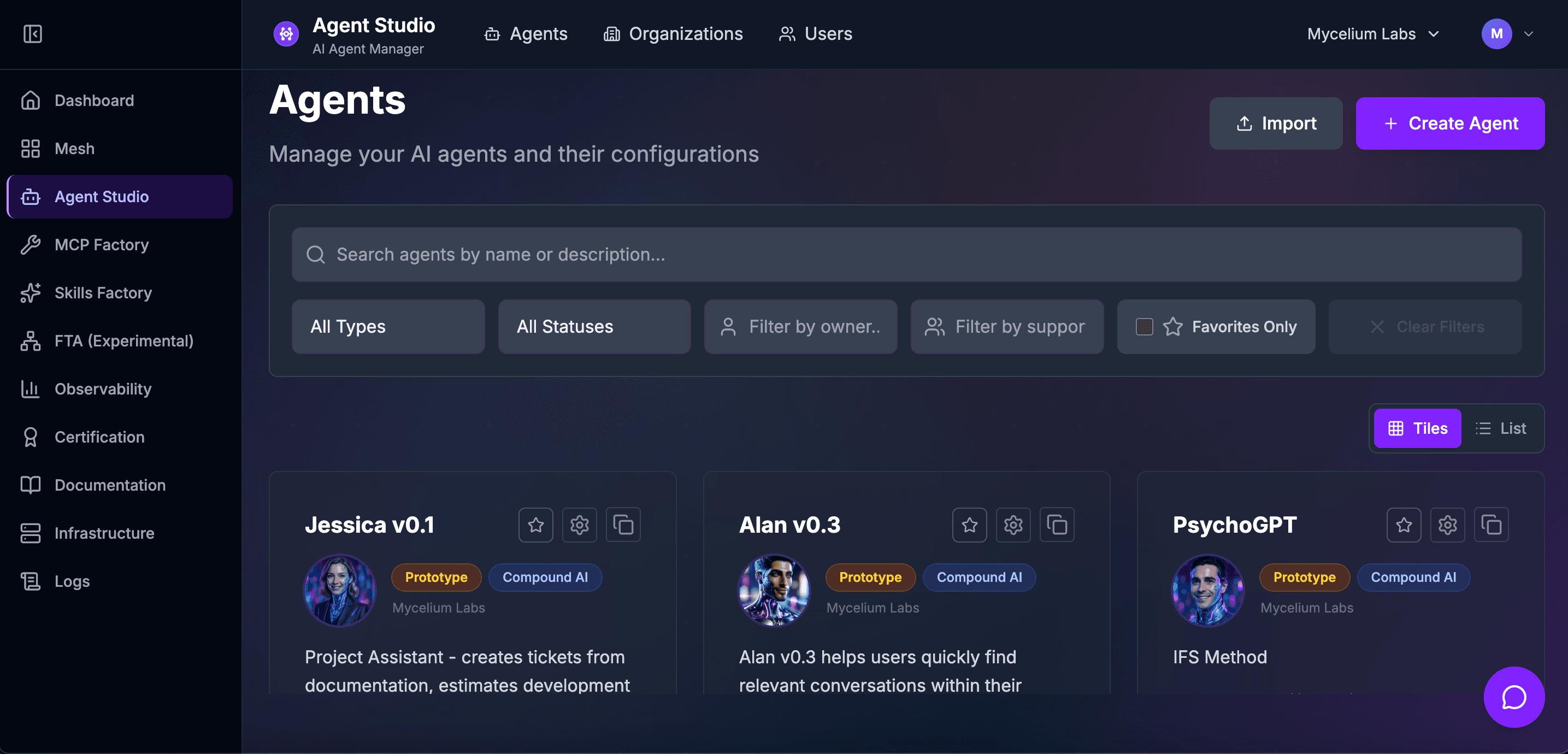
The visual workspace for designing, configuring, and versioning AI agents. From prompt engineering to publishing, Agent Studio gives you full control over every aspect of your agents.
Key Features
Everything you need to get the most out of Agent Studio.
Agent Configuration & Versioning
Configure every aspect of your agents visually and track changes across versions with full rollback support.
Multi-Execution Modes
Run agents in streaming, batch, or asynchronous modes depending on your use case and latency requirements.
Token Tracking
Monitor token consumption in real-time with per-agent and per-conversation breakdowns to control costs.
Automated Evaluation
Set up evaluation pipelines that automatically score agent responses for correctness, relevance, and safety.
RBAC & Multi-Tenancy
Enterprise-grade role-based access control with full multi-tenancy, so every team gets their own isolated workspace.
Publishing Workflow
Move agents from draft to staging to production with approval workflows and automated testing gates.
Use Cases
Customer Support Automation
Build and deploy customer support agents that handle common queries, escalate complex issues, and learn from feedback.
Internal Knowledge Assistants
Create agents that help employees navigate internal documentation, policies, and procedures.
Data Analysis Agents
Configure agents that can query databases, generate reports, and provide insights from your business data.
See It in Action
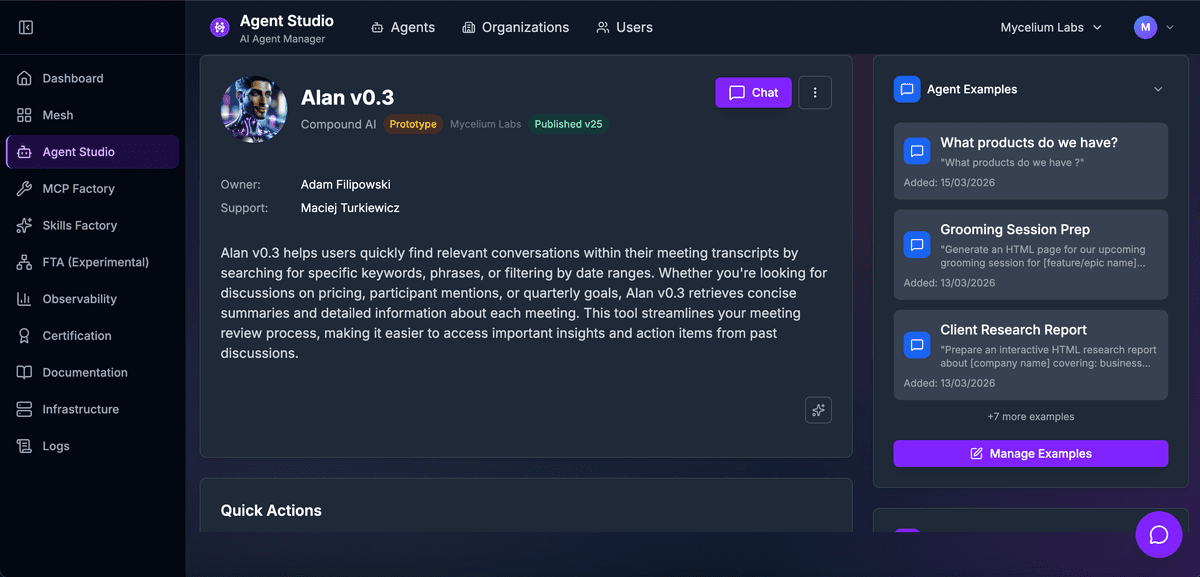
Visual agent configuration
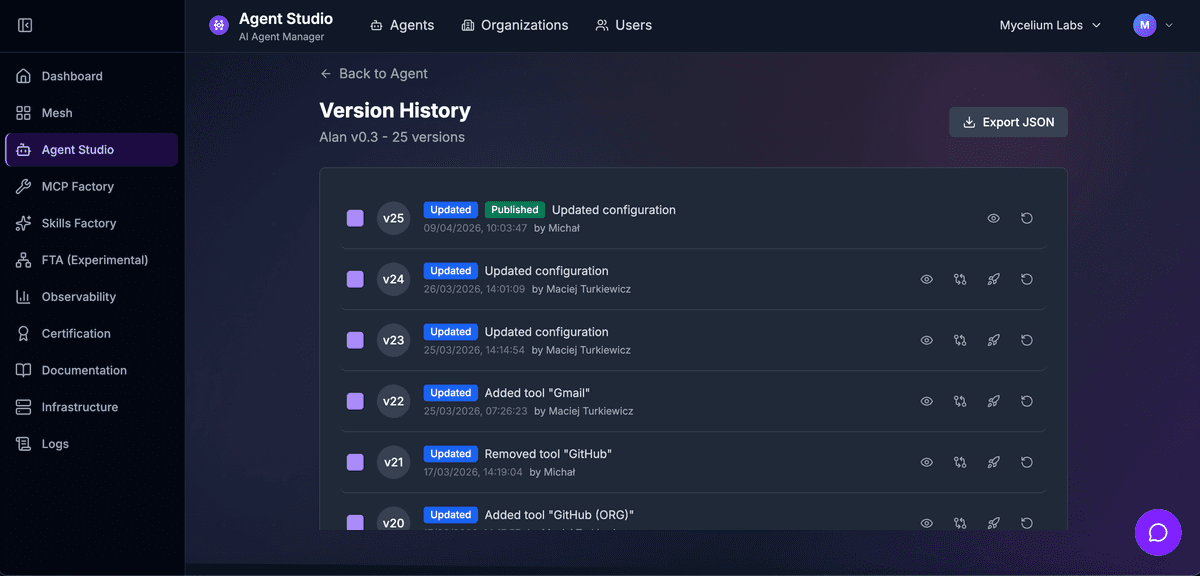
Version history and rollbacks
Works With
Seamlessly integrates with the rest of the Mycelium Labs platform.
Ready to get started with Agent Studio?
Book a demo and see how Agent Studio can transform your workflow.